
 Official media reference
Direct answer
Regular recruits can be edited for appearance, equipment colours, tattoos, scars and callsign; authored Veterans are intentionally more restricted.
How to use this page
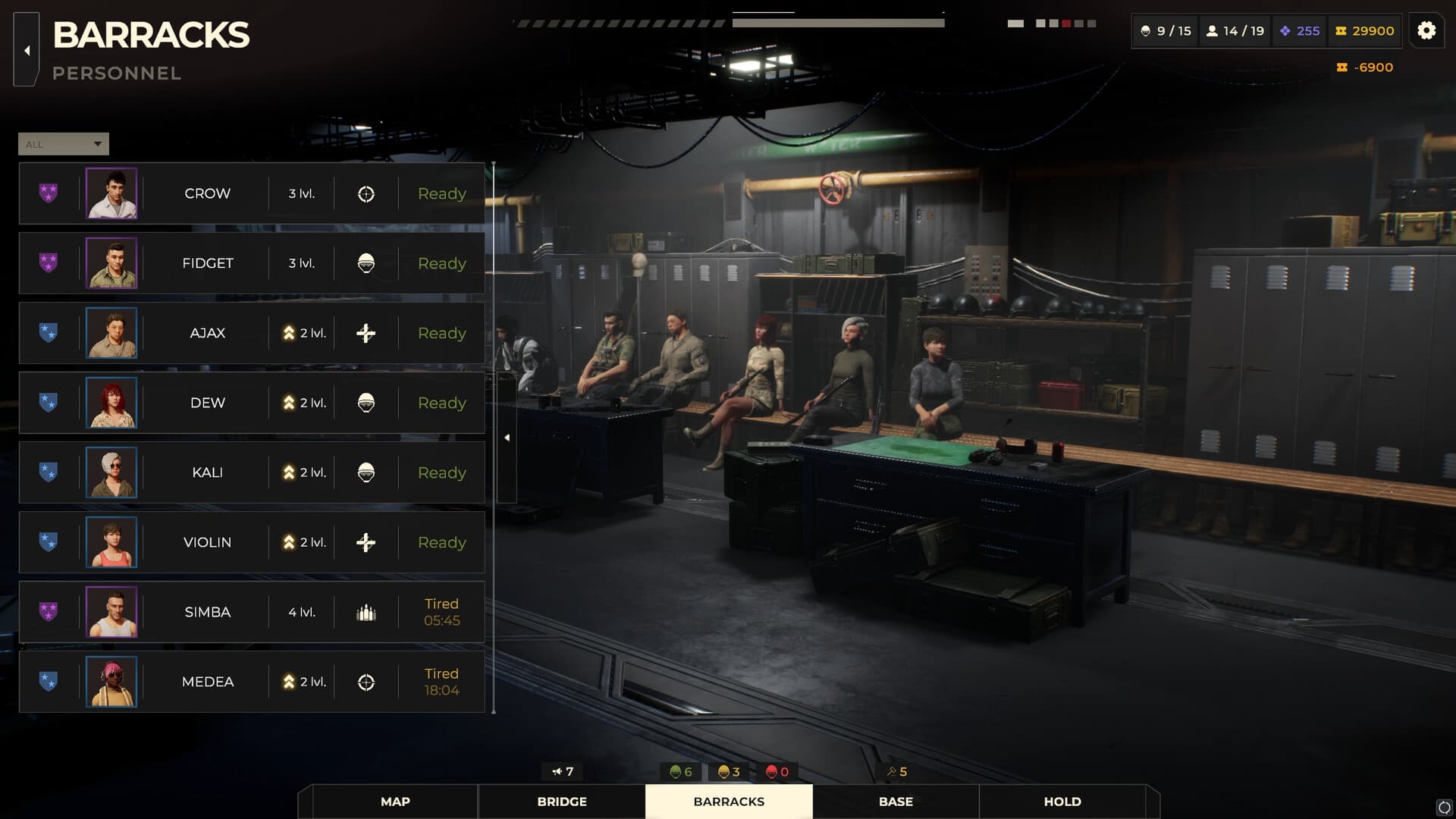
Portraits are rendered again from the in-game 3D character in a dedicated portrait scene, so changing a recruit updates the displayed portrait instead of using an unrelated upload.
What is verified
- Customization is cosmetic and identity-focused.
- Veterans keep authored looks and personalities.
- The official roster includes ten unique Veterans.
- The Action Heroes Pack advertises alternate outfits for nine Veterans.
Evidence scope
Verified against sources on August 14, 2026Official videos and store material support customization for regular recruits and a more authored treatment for Veterans. The exact limits can change, so this page separates visible cosmetic functions from claims about gameplay power.
What regular recruits can change
The official customization video shows appearance choices, equipment colours, tattoos, scars and a callsign. The portrait system is also described as re-rendering the in-game 3D character in a dedicated scene, so the portrait reflects the edited recruit instead of being an unrelated uploaded image. These changes primarily serve identity and readability.
- Check which controls apply to regular recruits.
- Treat appearance changes as cosmetic unless the game states otherwise.
- Use callsigns and colours to track replacements in a roster.
Why Veterans are different
Veterans are authored characters with their own looks, backgrounds, personalities, abilities and dialogue. Restricting ordinary customization helps preserve that identity. The Action Heroes Pack advertises alternate outfits for nine Veterans, while the official roster count is ten; the difference is a cosmetic-pack scope, not evidence that the base roster contains only nine.
- Do not promise full editor access for authored Veterans.
- Separate base-game roster count from DLC outfit coverage.
- Record cosmetic changes without implying stat changes.
A useful customization workflow
Customize recruits after you understand the roster role they fill. Give colours or callsigns a functional meaning—such as reserve, medical coverage or long-range role—then keep a screenshot of the original candidate card. If a patch changes portrait rendering or available options, that record lets you distinguish a visual bug from a changed design.
- Customize after role selection, not before every candidate comparison.
- Keep a roster naming convention.
- Save before testing a portrait or editor issue.
Customization checklist
- Confirm whether the soldier is a recruit or authored Veteran.
- Record appearance, colours, scars, tattoos and callsign options.
- Keep cosmetic changes separate from combat stats.
- Save before testing portrait regeneration.
- Label DLC outfit coverage separately from the base roster.
Frequently asked questions
Can I customize every Warhounds character?
Regular recruits have the visible customization workflow; authored Veterans are more restricted to preserve their identity.
Does customization change stats?
The documented options are appearance and identity focused. Do not assume a colour, scar or callsign changes combat stats unless the game explicitly shows it.
Why does a recruit portrait change?
The portrait system re-renders the in-game 3D character, so editing the recruit can update the displayed portrait.
Sources and verification
Official facts are separated from developer estimates and unverified community claims.